Last year I wrote about unpacking VertiPaq: the nested compression, the Analysis Services backup format, metadata.sqlitedb, and the file structures that sit behind an imported Power BI model. That work started as format research, then became practical code in pbixray.
The next step is PBIX.info: a browser-based PBIX inspector that takes the same core idea and moves it into a web application. You open a .pbix file, and the browser parses the model locally. No Power BI Desktop. No Analysis Services connection. No backend parser waiting for an upload.
That last point is the important one. PBIX.info is not a web form that sends your report somewhere else for processing. The parsing happens in your browser.
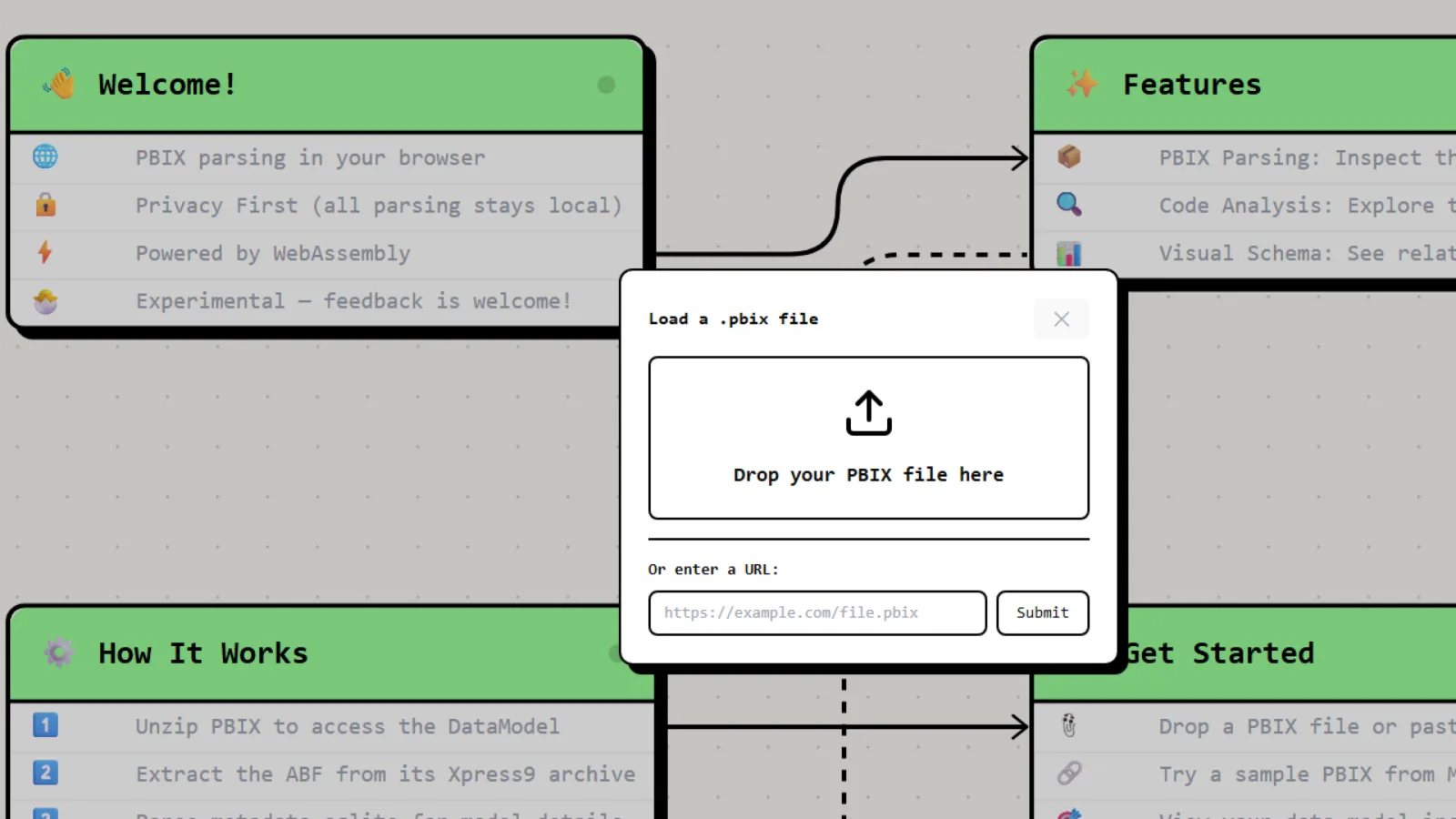
PBIX.info starts as a local-first PBIX inspector: drop a file, parse it in the browser, and move straight into the model.
From Parser to Product
pbixray proved that a PBIX file could be read directly. The basic path is now familiar:
- treat the PBIX file as a ZIP archive
- extract the embedded
DataModel - decompress the XPress9 Analysis Services backup stream
- locate the internal
metadata.sqlitedb - query the semantic model metadata
- reconstruct tables, columns, relationships, M expressions, DAX measures, calculated tables, calculated columns, parameters, and annotations
In the Python implementation, that pipeline is naturally built around local files, native libraries, and pandas-friendly outputs. In PBIX.info the target is different. The parser has to feel instant in a browser tab, keep the UI responsive, and produce an interactive model map rather than a DataFrame.
The product goal is simple: drop in a PBIX and immediately understand the model.
What You Can Inspect
PBIX.info turns the model into an interactive relationship diagram. Tables become schema nodes. Relationships become edges with cardinality markers. Inactive relationships are rendered differently, so the shape of the model is visible before you open a single panel.
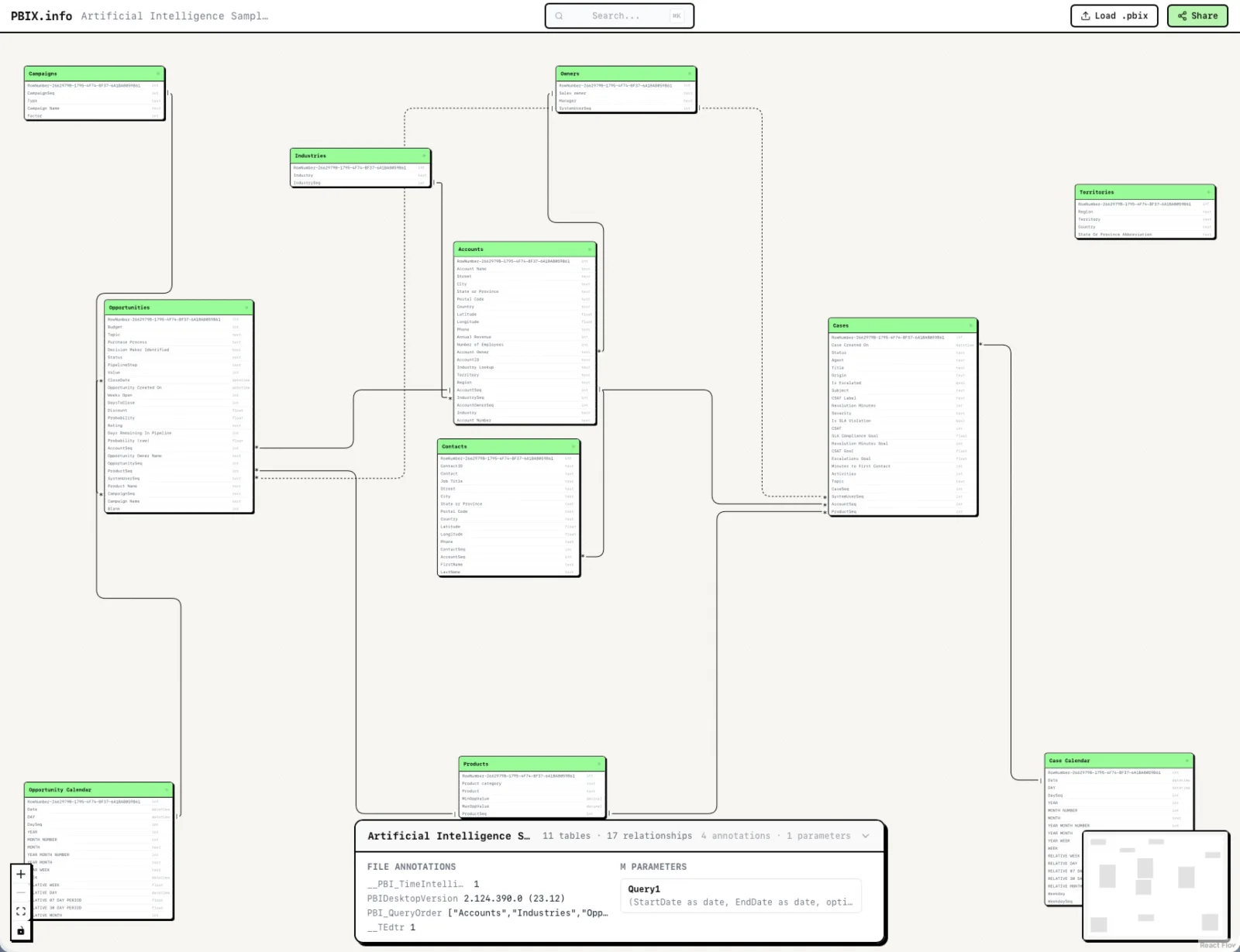
A PBIX model rendered as a relationship diagram, with table schemas, cardinality markers, and the original model layout.
Clicking a table opens its metadata and code:
- Power Query M expressions
- DAX measures
- calculated tables
- calculated columns
- M parameters
- file-level annotations
- table schemas and column data types
The search palette works across the model metadata, not just table names. You can search for a table, a column, a measure, part of a DAX expression, or part of an M query, then jump straight to the relevant table in the diagram.
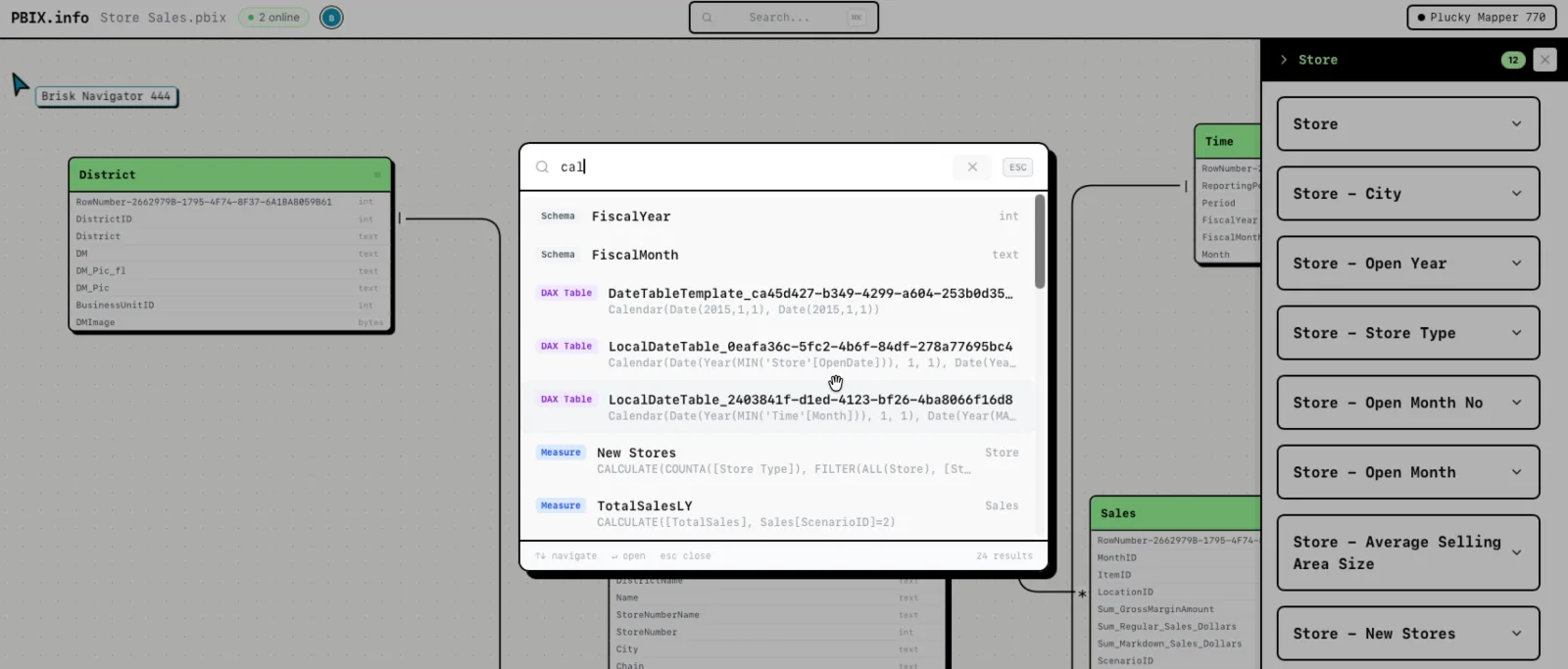
Search is model-wide: tables, schema columns, M queries, DAX measures, calculated tables, and calculated columns are all searchable from the same palette.
For larger models, that changes the workflow. Instead of hunting through Desktop panes or exporting DMV results, you can treat the PBIX as a navigable map.
Local-First by Design
The browser pipeline is intentionally split into two worlds.
The PBIX parsing world stays local:
- the file is read by the browser
- ZIP handling runs client-side
- XPress9 decompression runs through WebAssembly
- SQLite metadata is queried through SQLite compiled to WebAssembly
- the relationship diagram is generated in memory
The sharing world only starts when you ask for a share link. At that point PBIX.info stores a serialized diagram and extracted metadata needed for the shared view. It does not need to send the original PBIX file to a parser service, because the parsing already happened on your machine.
That distinction matters. A PBIX file can contain business logic, table names, measures, parameters, and other sensitive model metadata. Local parsing keeps the most invasive step, reading the actual file, inside the browser sandbox.
The WebAssembly Port
The heart of the implementation is a Web Worker. The worker keeps the expensive parsing work off the main UI thread, so zooming, panning, progress updates, and the rest of the interface do not freeze while the model is being decoded.
Inside that worker, PBIX.info runs two pieces of WebAssembly-backed infrastructure:
- an XPress9 module for decompressing the Analysis Services backup chunks
- SQLite WASM for reading the embedded
metadata.sqlitedb
The parser does not blindly inflate everything into a fake workspace folder. It streams the PBIX, buffers the relevant backup ranges, reads the backup log header, locates the virtual directory, and slices out the metadata database. That is one reason the browser version feels unexpectedly fast: for model inspection, it can focus on the semantic metadata instead of reconstructing every imported column value.
Once the metadata database is available, SQLite WASM deserializes it directly from the in-memory buffer. PBIX.info then runs the same kind of TMSCHEMA-oriented queries that parser authors use when working against metadata.sqlitedb: tables, columns, relationships, measures, partitions, expressions, annotations, and parameters.
The result is converted into a React Flow graph:
- table metadata becomes
databaseSchemanodes - relationships become floating edges
- relationship cardinality becomes one/many markers
- inactive relationships become dashed edges
- M and DAX artifacts are attached to the detail panel and search index
There is also a second client-side pass over DiagramLayout. Power BI stores diagram layout information in the PBIX package, encoded as UTF-16 JSON. PBIX.info reads that layout and merges the original table positions back into the generated diagram, so the browser view starts closer to the model author’s own arrangement.
Performance: Doing Less, Earlier
The surprising part of the browser version is not that WebAssembly is fast, although that helps. The bigger win is choosing the right amount of work.
For PBIX.info, the primary use case is understanding the model structure: tables, relationships, code, parameters, and annotations. That means the app can stop at the metadata layer for most interactions. It does not need to materialize every fact table row just to show you that a measure depends on a table or that a relationship is inactive.
That is a different performance profile from a full table reader. pbixray goes deeper when you ask it to reconstruct imported data. PBIX.info optimizes for a fast metadata experience:
- stream the file rather than blocking on a full read where possible
- decompress only the XPress9 chunks needed to reach the metadata database
- keep parsing in a worker
- query SQLite in memory
- render the model as graph data immediately
The result is a Power BI model browser that feels more like opening a local developer tool than submitting a file to a service.
Sharing and Collaboration
PBIX.info also supports shareable model views. When you press Share, the app writes the serialized diagram, M/DAX metadata, file annotations, parameters, and file name to Cloudflare D1. The share URL points to that stored snapshot.
The shared page is designed for review and collaboration. The diagram opens in the browser, visitors can search the same metadata, click tables, inspect code, and follow the structure of the model without needing the original PBIX file.
Live presence is handled separately with Liveblocks. Shared viewers get participant names, live cursors, viewport presence, and selection indicators, so two people can talk through a model and actually see what the other person is looking at. The database stores the shareable snapshot; Liveblocks handles the ephemeral “where are you right now?” layer.
That combination keeps the architecture small:
- Cloudflare D1 persists shared diagrams
- Liveblocks provides real-time presence
- the browser handles parsing and rendering
- no server-side PBIX parser is required
Why This Matters
Power BI models are often treated as opaque files unless you have Desktop open or a running XMLA endpoint. That makes quick review harder than it should be. Sometimes you just want to answer questions like:
- What tables are in this PBIX?
- Which relationships exist, and which are inactive?
- Where is this measure defined?
- Which M queries or parameters are present?
- How is this model structured before I open it in Desktop?
PBIX.info makes those questions answerable directly from the file, in the browser.
For me, it is also a satisfying full-circle moment. The low-level work from pbixray and the earlier VertiPaq experiments was not just an academic exercise. The same knowledge can power a local-first web app with WebAssembly, fast parsing, searchable metadata, interactive diagrams, and collaborative review links.
The parser started as a way to understand PBIX internals. PBIX.info turns that understanding into something you can use immediately.
Try it at pbix.info.