PBIXRay for macOS is now available on the Mac App Store.
It is a native Mac app for opening and inspecting Microsoft Power BI .pbix files without Power BI Desktop, a Windows virtual machine or a cloud upload. Drop in a file and PBIXRay shows the semantic model, DAX, Power Query, data sources, VertiPaq storage statistics, stored table data and report structure. It also opens Analysis Services .abf backups.
PBIXRay is an inspector, not an editor or a Power BI Desktop replacement. It does not render finished report visuals, refresh Power Query, evaluate DAX through the Power BI engine or modify the original file. Its job is narrower: help you understand what is inside a PBIX file on a Mac.
Why Build a PBIX Viewer for Mac?
About a year ago, I bought a MacBook Air and quickly fell in love with it. One recurring annoyance remained: PBIX files.
Power BI Desktop is not available for macOS. Whenever I needed to inspect a report, understand an inherited semantic model or check a measure, I had to start a Windows VM or connect to another machine. That was a lot of overhead for a task that often took only a few minutes.
So I built the tool I wanted to use.
I had already created the open source pbixray Python library and PBIX.info, a browser-based explorer that parses PBIX files locally with WebAssembly. The same file-format research made a native macOS app possible, with tighter control over startup time, memory use, streaming and Finder integration.
The result is PBIXRay, a read-only Power BI file viewer designed specifically for macOS.
What PBIXRay Can Inspect
PBIXRay turns a PBIX file into a set of focused workspaces instead of treating it as an opaque binary package.
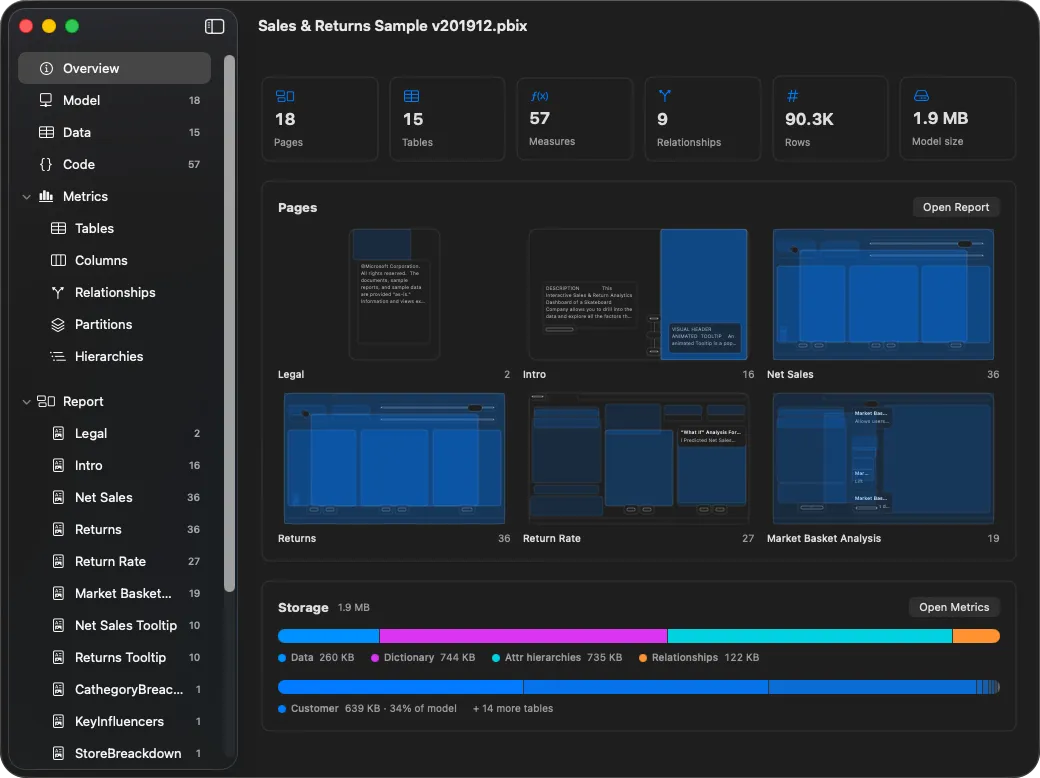
- Overview: See report pages, tables, columns, measures, relationships, row counts, data sources and the model’s storage footprint.
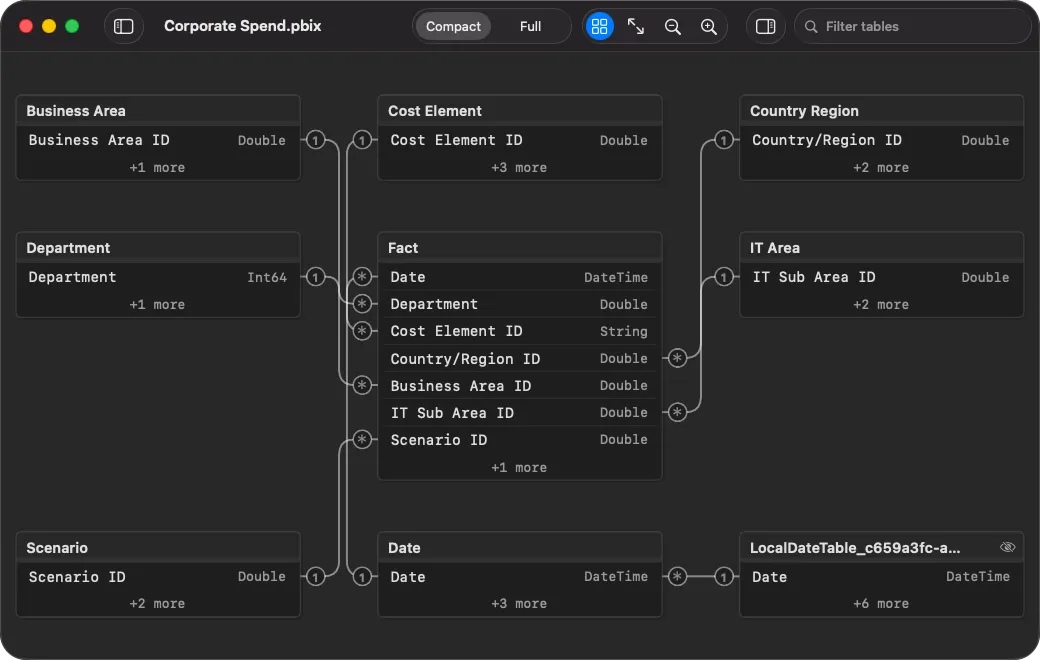
- Model: Explore an interactive relationship diagram with cardinality, active and inactive relationships, table filtering and compact or detailed views.
- Code: Read DAX measures, calculated columns, calculated tables, calculation groups, user-defined functions, Power Query M and parameters with syntax highlighting and copy actions.
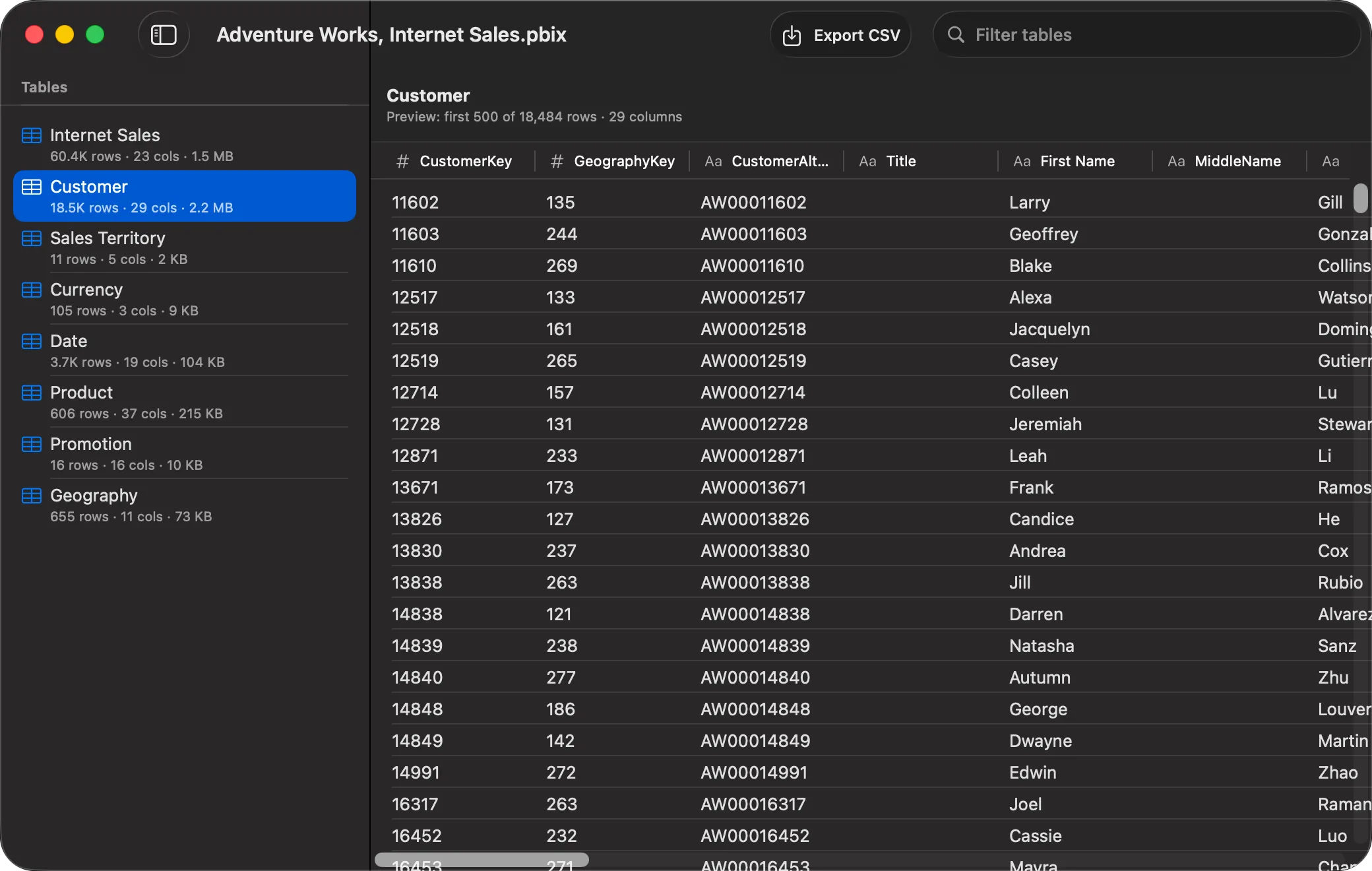
- Data: Browse the first 500 stored rows of an imported table, then export the complete table to CSV when you need the full contents.
- Metrics: Inspect per-column cardinality, encoding, dictionary size, hierarchy size and total storage usage in a VertiPaq Analyzer-style view.
- Report: Review each page as a structural wireframe, including visual type, position and field lineage.
- Security and metadata: Inspect row-level security definitions, annotations, model properties and connection details.
- Exports: Generate model documentation or machine-readable output as JSON, CSV, Markdown or HTML.
PBIXRay supports Power BI Desktop reports in import, DirectQuery, composite and thin or Live Connection configurations. It also supports Analysis Services .abf backup files. The available sections adapt to the file, so a thin report without an embedded model is not presented as if it contained imported tables.
Open a PBIX File Without Windows
The main use case is deliberately simple: someone sends you a PBIX file and you need answers from it.
You might need to find where a DAX measure is defined, check which data sources a report uses, understand the relationship graph, review row-level security, identify the largest columns in a model or extract a table for further analysis. None of those tasks should require keeping a Windows environment running just to inspect a file.
PBIXRay opens the PBIX directly on the Mac. There is no Microsoft account requirement, no Power BI subscription requirement and no dependency on a running Analysis Services instance.
The app is useful for Power BI developers who use a Mac outside their main Power BI workstation, consultants reviewing client models, data engineers tracing upstream logic, and anyone auditing a PBIX file before deciding whether it needs to be opened in Desktop.
PBIP is a welcome, source-control-friendly direction for new Power BI projects, but it does not make existing PBIX files disappear. Organisations have years of archived reports, downloaded service files, client deliverables and Analysis Services backups. PBIXRay focuses on that practical long tail.
Native macOS Features, Including Quick Look
PBIXRay is written in Swift as a native, document-based macOS app. It is not an Electron shell or a hosted web app packaged for the desktop.
The bundled Quick Look extension is one of the clearest benefits of taking the native route. Select a .pbix file in Finder and press Space to see a compact preview with report pages, tables, measures, data sources and the largest parts of the model. For a quick identification check, you may not need to open the full app at all.
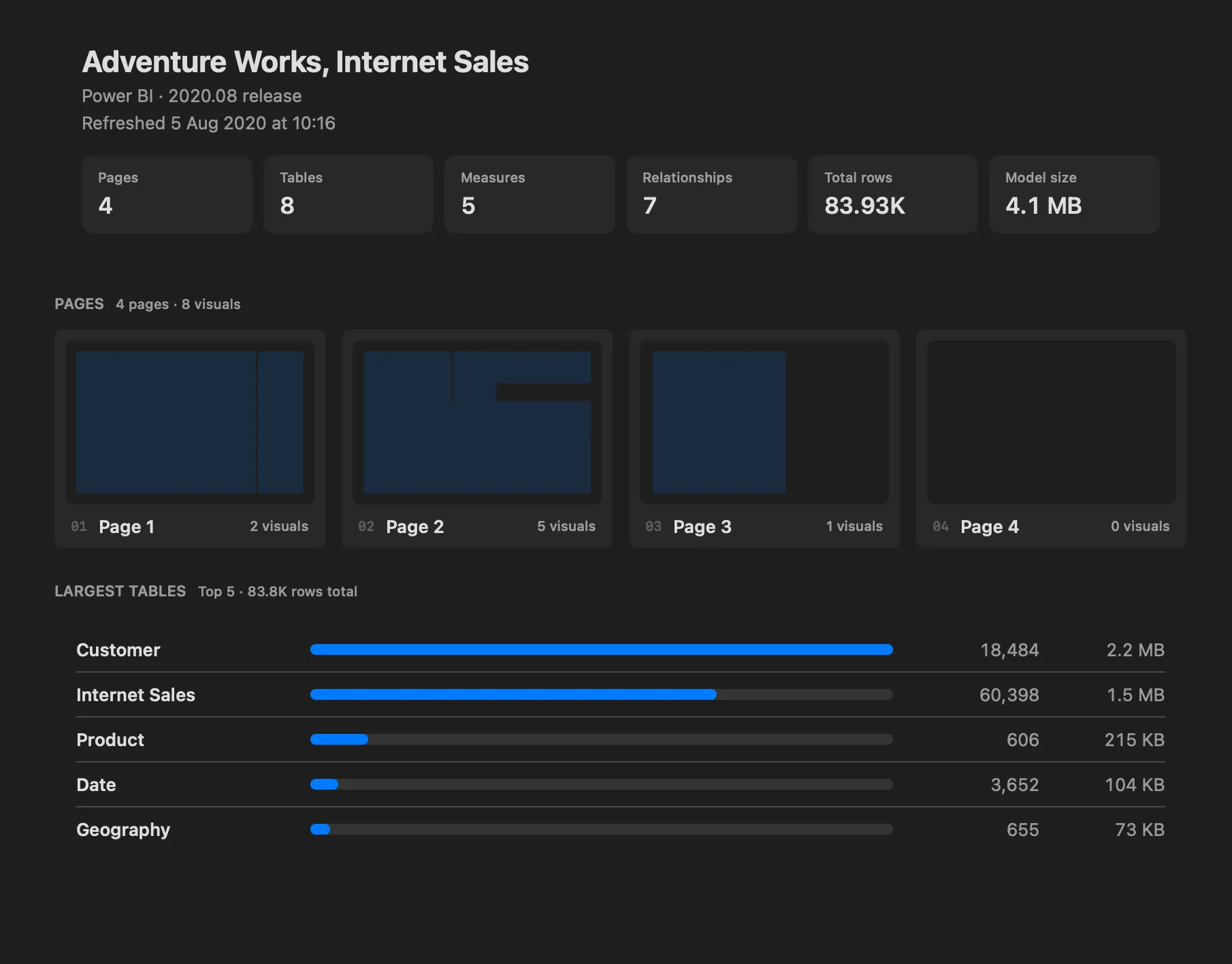
The parser also avoids doing unnecessary work. Quick Look extracts a compact summary instead of decoding the complete model. Table previews decode only the dictionary values referenced by the requested rows. Full CSV export streams rows to disk rather than materialising the whole decoded table in memory first.
Those choices matter with large, high-cardinality models. A useful answer should appear before every possible part of a PBIX file has been expanded.
Private by Design
PBIX files often contain business logic, connection details and imported client data. PBIXRay processes that content locally on the Mac.
The app has no account system, no telemetry and no macOS network client entitlement. The sandbox therefore prevents the app itself from opening outbound network connections. App Store purchase and restore operations are handled separately by Apple’s StoreKit services.
That design means a model does not need to leave the machine just to be inspected. PBIXRay continues to work offline after installation and purchase validation.
What PBIXRay Does Not Do
The boundary between inspection and authoring is intentional.
PBIXRay does not reproduce Power BI’s visual rendering engine. Report pages appear as structural wireframes that show which visuals exist, where they sit and which fields they reference. The app also does not execute DAX, refresh M queries, connect to the Power BI Service or write changes back into a PBIX file.
If you need to build a report, edit a model or validate the final rendered output, Power BI Desktop is still the right tool. If you need to inspect a Power BI file on a Mac and understand its contents, PBIXRay is built for that job.
Free Viewer and Full Unlock
PBIXRay is free to download. The free viewer includes the model overview, interactive relationship diagram, report structure, data source inventory and Finder Quick Look extension.
A single in-app purchase unlocks DAX and Power Query source, stored table data, VertiPaq metrics and all export formats. It is a one-time purchase rather than a subscription.
PBIXRay 1.0 requires macOS 15 Sequoia or later.
Download PBIXRay from the Mac App Store, or see the full feature list on the PBIXRay for macOS product page.